PIXEL ART RESIZER
Enlarge pixel art.
Keep the edges crisp.
Make your PNG bigger at 2×, 3× or 4×. Keep the original colors, the transparent edges and every square pixel.
Included runs first, then 5 Credits per successful operation. PNGs, ZIPs and repeat downloads add no charge.
Static PNG · max 12 MB / 4 MP · up to 4,096 px per side. Use 8-bit or lower; export 16-bit or animated files as static 8-bit PNGs first.
Review privately uploads your PNG for a quote. Confirm before processing. See shared allowances.

PREPARED EXAMPLE SOURCE · 64 × 64
Small robot. Crisp squares.
Start with the example or bring your own PNG. Source previews use no run.
Choose a PNG to preview it. Processing is quoted separately.
Saved splitter and resizer outputs from your own uploads are downloadable on Free. AI-generated originals and their restricted derivatives still follow your plan.
SMALL SOURCE. BIG CHARACTER.
Bigger pixels.
Every detail stays.
Meet the same 64 × 64 sprite at three whole-number scales. Change the preview and watch each source pixel keep its square edges.


THE CLEAR SPACE COUNTS, TOO.
A clean outline.
On either side.
Switch the background to inspect the transparent edges. Integer scaling repeats the source colors and alpha together, so the clear space grows with the artwork.
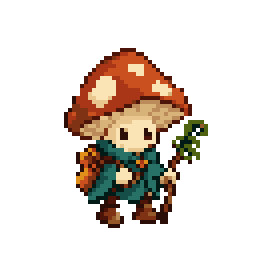
Prepared 64 × 64 shell sample. The display backgrounds stay out of your file.
Try this transparent shellONE SPRITE. DIFFERENT SPACES.
Find the size
that fits your game.
One prepared 64 × 64 bird, shown three ways. Whole-number display sizes keep the grid even, from a small scene companion to a closer review.

A small scene detail
Keep the native sprite for a compact scene.
A companion in view
Give this little companion more presence.
A closer look
Show the original pixel decisions at a useful review size.
START WITH THE CLEAN SOURCE.
More space.
The same artwork.
Use the original native-size PNG when you can. A resize repeats the pixels already there, including existing soft edges; it does not invent missing detail.
Choose your scale, review the exact quote and confirm one resize. The saved PNG has actual larger dimensions, with repeat downloads included.
Back to your PNGBEFORE YOU SCALE UP
The little
details.
How do I resize pixel art without blur?
Choose a static PNG and use an integer scale such as 2×, 3× or 4×. This tool uses nearest-neighbor scaling: every original pixel becomes an equally colored square block. It does not blend neighboring colors.
Does the tool preserve transparency?
Yes. The downloaded 8-bit RGBA PNG keeps each source pixel’s color and alpha values, including semitransparency and color values under fully transparent pixels. Optional source metadata, including color profiles, text and print resolution, is not copied.
Is this an AI pixel-art converter?
This tool enlarges existing pixel art by repeating its pixels. It does not turn a photo into pixel art, add detail, change your palette or fix an uneven source grid. Use the pixel-art generation workflow to create new artwork.
Why can I only choose 2×, 3× or 4×?
Whole-number scales keep every original pixel the same size in the output. A fractional scale can make some source pixels wider than others, which changes the grid. Choose the scale that matches your game or presentation.
What are the image limits?
Use static PNGs up to 12 MB, 4,194,304 input pixels and 4,096 pixels on either side. The resized output must also fit within 4,194,304 pixels and 4,096 pixels per side. Indexed, grayscale and interlaced PNGs at 8-bit or lower work. Export 16-bit or animated PNGs as static 8-bit PNGs first.
How do shared runs and Credits work?
Sign in to use the existing shared Creative Tool allowance. Free has three lifetime runs. Paid plans refresh 20, 60, 200 or 500 runs each subscription service month; Studio annual has 1,000 per service month. Included runs come first, then one complete successful resize costs 5 Credits. Downloading or re-downloading that saved PNG does not add another charge.
Can a Free account download a resized upload?
Yes. After successful included-run or Credit processing, the owner can download a resized output made from their own uploaded PNG, including on Free. This narrow right does not unlock AI-generated originals or other restricted generated derivatives.
When is my image uploaded?
Selecting a source and viewing its browser preview do not use a run. Review processing uploads it privately for validation and a quote. The resize runs only after you explicitly confirm. Your source and saved output stay behind your signed-in account.
Why is my pixel art still blurry after resizing?
Check the source PNG at its native size first. Integer resizing repeats the pixels it receives; it cannot undo blended colors, repair a false pixel grid or recover missing detail. If the saved PNG is crisp but looks soft only in a game or preview, inspect that display’s texture filtering and scale before resizing again.
Can I enlarge a 32-pixel sprite to 128 pixels without AI?
Yes. For a valid 32 × 32 static PNG, choose 4× to produce 128 × 128 pixels. Each original pixel becomes a 4 × 4 block with the same color and alpha. This is exact integer enlargement, not AI detail generation. The source and output must fit the stated image limits; review and confirm the current processing quote before running it.
Make it bigger.
Keep its character.
Resize your PNG Shared runs first, then 5 Credits per successful resize. Downloading your saved result adds no charge.