Shopkeepers and villagers
Keep the movement calm so the character feels present between conversations.

Bring one transparent PNG to life with a gentle breathing effect. Tune the strength and pace for a waiting NPC, shopkeeper or creature.
Bring one complete transparent PNG. Continue in your workspace to review the breathing settings and quote.
IDLE ANIMATION GENERATOR / SEE THE POSSIBILITY
Give a shopkeeper, a bystander or a waiting creature a gentle breathing loop. Compare it with the original image.
Try it with your source →
RESULT · A GENTLE BREATHING LOOP

24 frames · 2 seconds.
A breathing effect on the supplied image, without newly generated action poses.
YOUR IDEA. YOUR NEXT STEP.
Single-image breathing adds subtle movement to a standing character. It is useful for a quiet shopkeeper or waiting NPC. The chipmunk example compares its original transparent image with the actual returned breathing loop.
Keep the movement calm so the character feels present between conversations.
Try a restrained breathing strength and pace suited to the character's role.
Compare the original image with the actual returned loop before making a more ambitious action.
KEEP YOUR PROJECT MOVING
For movement beyond a gentle idle, plan a complete action. Or keep building the world around this character.
ONE CHARACTER. MANY MOVES.
Ask Moti for a whole set of actions. Keep everyday movement and complete combat moves together, then review each result separately.







Seven motions from the same character reference · Complete actions replay for viewing; the final death pose is preserved.
FROM ONE CHARACTER TO A LARGER WORLD
Keep your character. Explore outfits and expressions. Build matching enemies and a world around them.
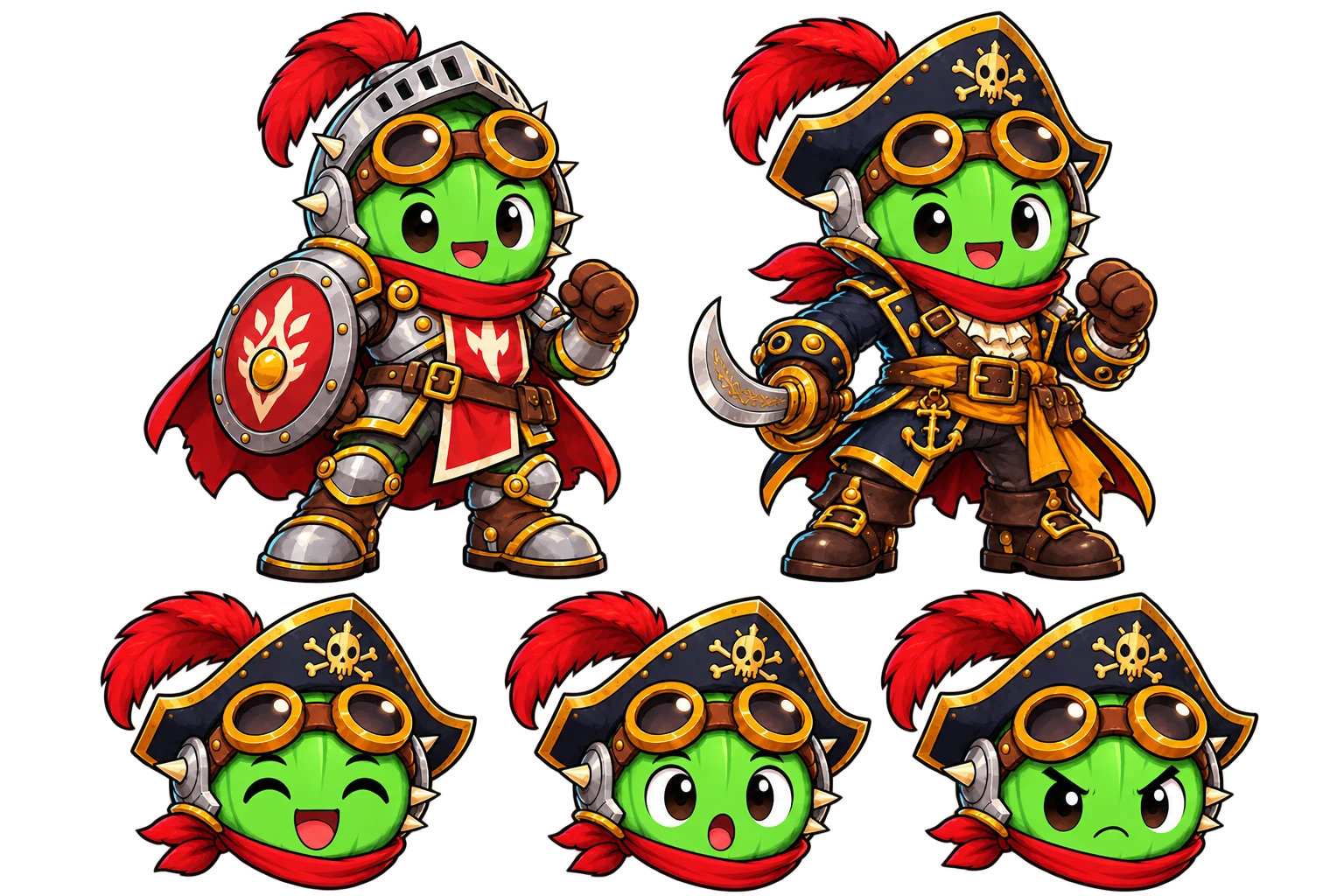

Explore new outfits while keeping your character’s identity.
YOUR CHARACTER → ITS WORLD → MATCHING LAYERS
Combine characters, backgrounds and props. Add supplied effects and a separate ground shadow. Adjust the shadow’s position and size, or export it on its own. Review Moti’s plan and quote before creating.
COMMON QUESTIONS
Prepare your brief or source here, then continue in your workspace. Confirm the task there and review its results before exporting.
Choose a transparent PNG with the complete character and space around the head and feet. Continue in your workspace to review the breathing task.
Set breathing strength, frame count and speed in the workspace, then review the quote. Aim for a small idle rather than a new pose or travelling action.
Inspect the body movement, margins and planted feet. Download the actual frames or previews returned by the tool.
Use one complete transparent PNG with safe space around the head, feet and equipment. Choose the available breathing settings in the tool rather than expecting new poses from a still-image effect.
Check the feet, margins and loop boundary. Lower the strength if the image distorts. For travelling movement or combat, continue with the approved-character motion workflow.
Yes. This tool makes a gentle breathing movement from a transparent PNG. Inspect the resulting loop before using it.
Use Sprite Animator for those actions. Single-image breathing creates subtle movement rather than a new sequence of travelling or combat poses.
Use the complete character with transparent background and safe margins around the head, feet and equipment.
Yes. Adjust the tool’s available breathing strength, frame count and speed, then inspect actual playback.
This tool applies procedural breathing to the supplied image. Review its current included-run or Credit quote in the workspace before confirming. A walk, attack or other newly generated action follows the separate motion workflow.
More workflow details in Docs. Frame allowances and Credits in Pricing.